Since Jetpack Forms doesn’t have a detailed single-entry view, Pathmetrics adds valuable visitor journey information right where you see all your form submissions.
No extra setup needed, everything works automatically once Pathmetrics is installed and your license is activated.
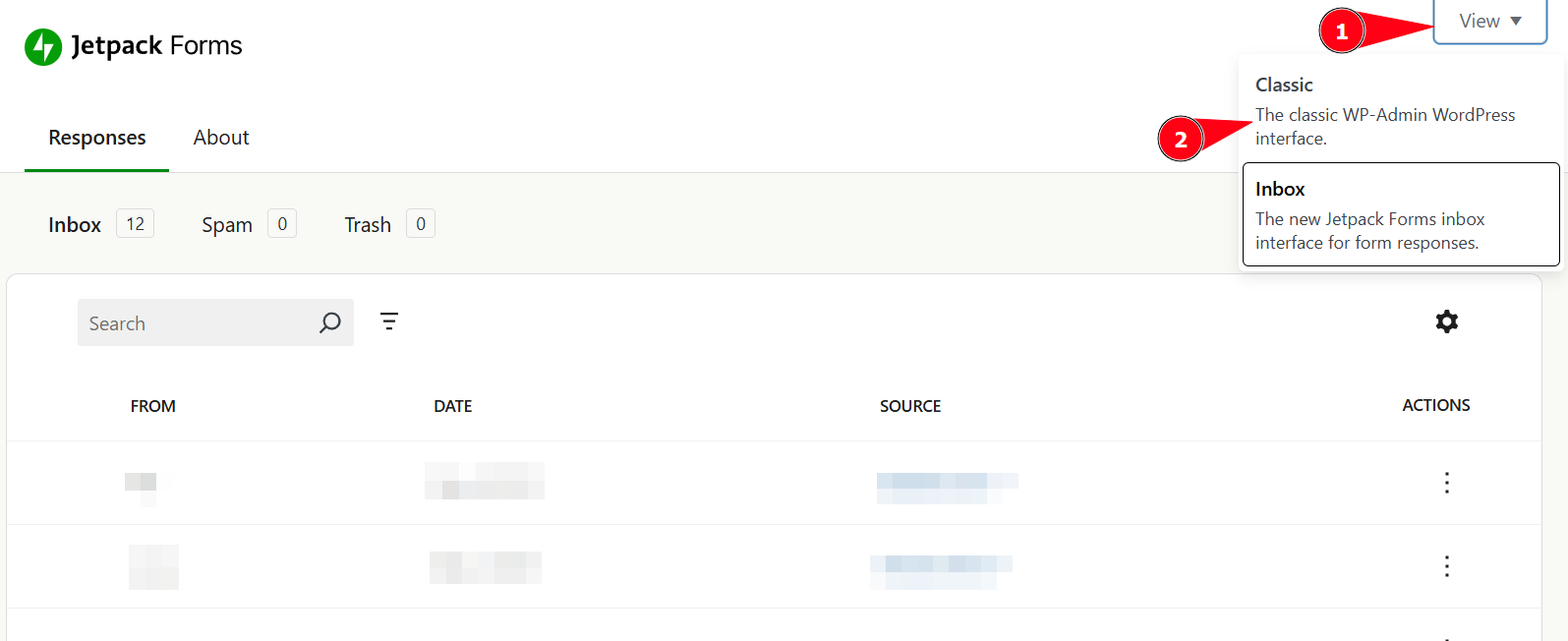
Unfortunatly Jetpack Forms doesn’t allow us to add additional information in their custom “inbox” view. Therefore you need to first switch back to the “classic” view mode. You can easily do this when you are on the overview of entries.
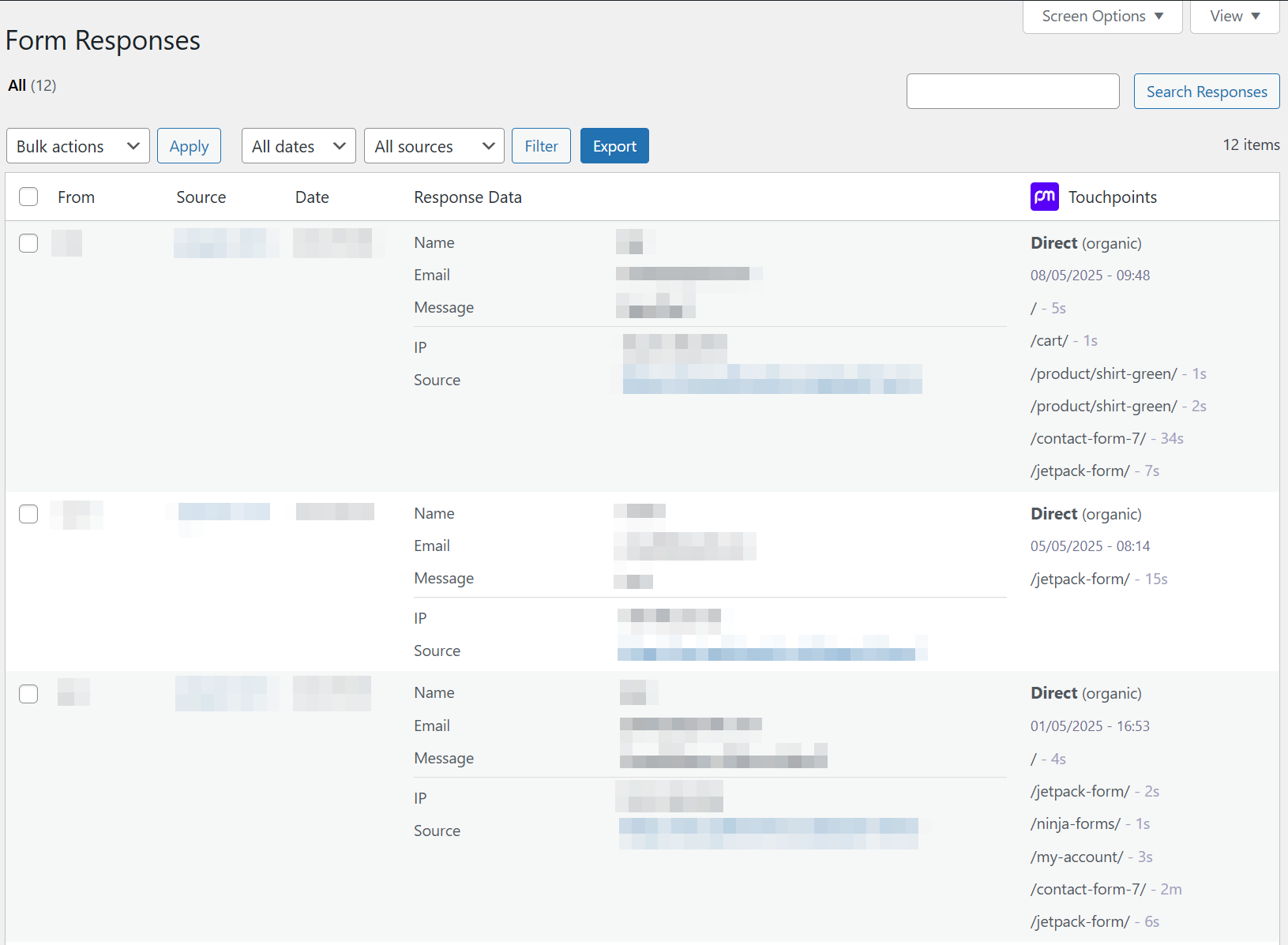
When viewing all entries, you will see the following information for each entry in the table
Last channel (e.g., Google, Facebook, Direct, …)
Pages visited during their last session
Time spent on each page
Any UTM or relevant URL parameter like gclid, fbclid, …
👉 This helps you quickly scan and spot high-value leads without opening each entry individually.
Have a look at our troubleshooting articles for most common issues and solutions.