
You’ll see detailed session(s) data for every order:
In the overview list of all orders
Inside each individual order detail page
No extra configuration is needed. Everything works automatically once Pathmetrics is installed and your license is validated.
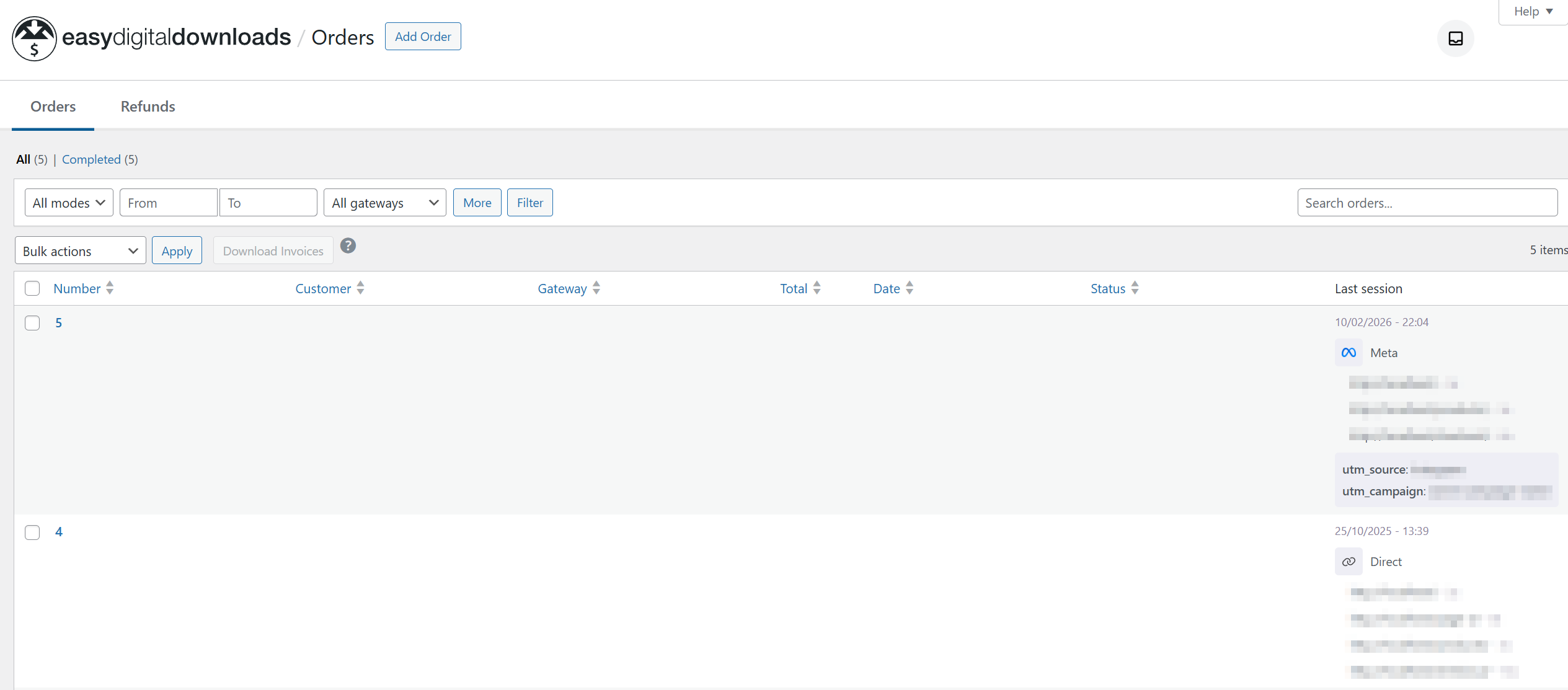
Orders overview
When viewing the list of all EDD orders, Pathmetrics adds a new optional column called “Last session” where you’ll see the following information for each order:
Last channel (e.g. Google, Facebook, Direct, Organic Search, …)
Pages visited during their last session
Time spent on each page
Any UTM or relevant URL parameters (e.g.,
gclid,fbclid, custom campaign tags)
👉 This helps you quickly scan and spot valuable customers. For example, knowing if a buyer came from a paid ad campaign or an organic repeat visit.
Example of the orders overview
Order detail view
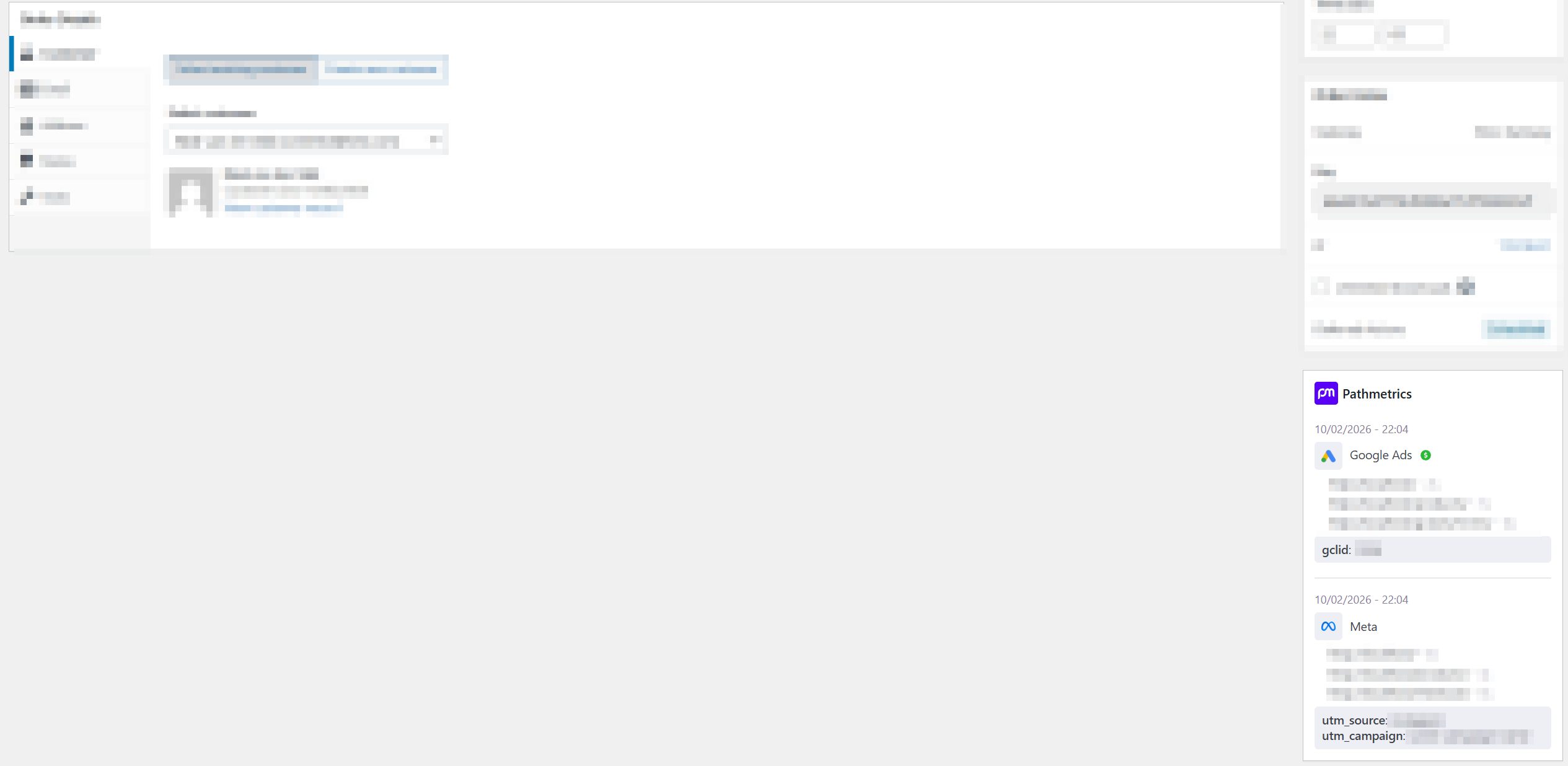
When you open a specific EDD order, Pathmetrics adds a detailed section showing:
Channel used to visit the website (per session)
Pages visited and time spent per session
Time spent on each page
Time gaps between visits
It’s presented in a clear, organized format that gives you full context about the customer journey leading to the sale without needing to check external analytics tools.
Example of order detail
Having an issue?
Have a look at our troubleshooting articles for most common issues and solutions.